
IKEA
Inter IKEA Systems B.VShopping
4.73.08K Reviews
- Version
- 5.8.0
- Installs
- 50.00M
- Age Rating
- Everyone
Screenshots
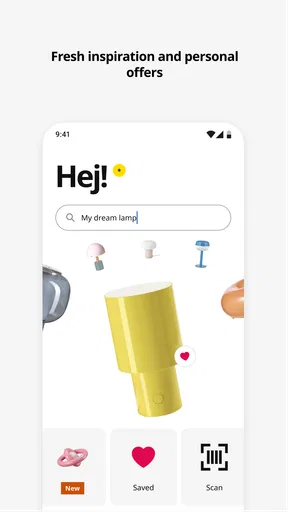
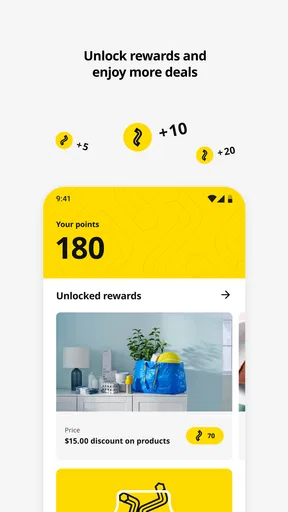
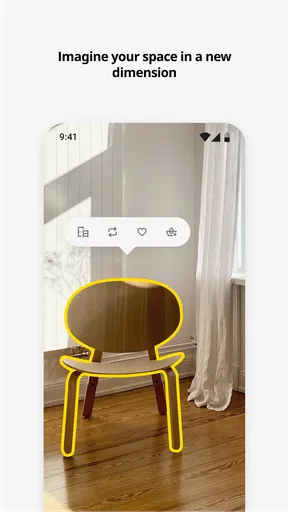

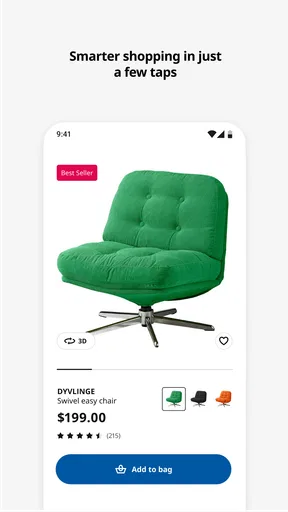
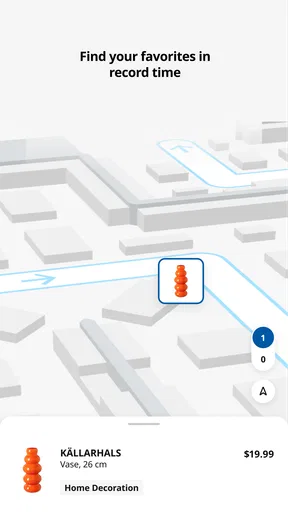
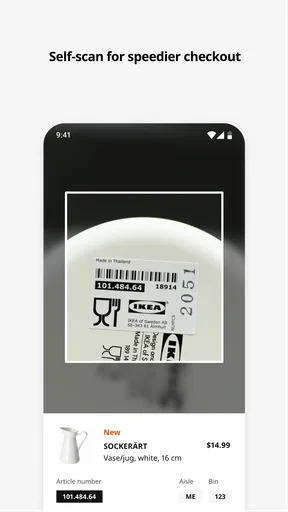
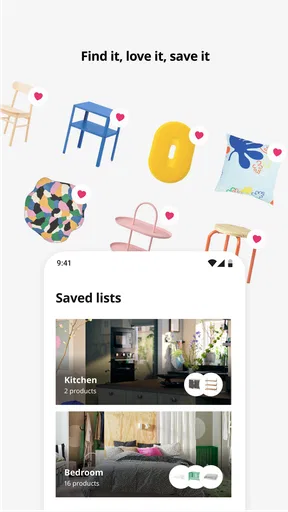
Our Review of IKEA
 Analysis by Appyee
I found the IKEA app most useful when I treated it as a planning tool rather than simply a digital version of a store catalogue. It helps me move from “I need something for this room” to a more focused shopping trip, but the experience depends heavily on how clearly I search, how carefully I check product details, and whether I use it at the right stage of a purchase. For browsing ideas, comparing options, and preparing a visit, it is considerably more convenient than starting with a general web search.
At the same time, it is not a magic shortcut for every IKEA task. A product may look perfect in a photo and still be the wrong size for a narrow hallway. A saved idea can be useful one day and irrelevant after a change in stock or availability. I also found that some frustration comes from the shopping situation itself rather than from the app. That distinction matters, because it changes how you troubleshoot the problem.
What makes the IKEA app useful, and where the friction begins
Developed by Inter IKEA Systems B.V, this free shopping app is aimed at everyday IKEA customers, from someone replacing a single lamp to someone planning furniture for an entire home. It is rated for Everyone, which fits its straightforward purpose, and the current version is 5.8.0. Its broad appeal is reflected in an average rating of 4.7 from around 258 thousand ratings, while more than 50 million installs show how widely it is used.
My first recommendation is to decide what you want from it before opening it. There are three very different jobs: discovering products, preparing a purchase, and checking information about something you already intend to buy. Mixing those jobs can make the app feel busier than it needs to be. For inspiration, I browse by room or type of product. For a planned purchase, I use exact names, product terms, or details from a shopping list. For a follow-up check, I go straight to the item instead of starting over with broad categories.
The most common sticking point is not finding a product but deciding whether the displayed product is actually suitable. IKEA’s range includes items that look similar while differing in dimensions, materials, storage capacity, or intended use. I make a habit of opening the complete product information before adding anything to my plan. The attractive image is only the beginning; the measurements and practical description are what determine whether the item will work in my home.
Search can also lead to a false sense of certainty. A broad term may return several close matches, and the first appealing result is not necessarily the one I had in mind. I now search twice when the purchase matters: first with a general phrase to understand the range, then with a more specific phrase based on colour, function, or furniture type. This small change reduces the chance of choosing a visually similar but unsuitable item.
Why a product page deserves more attention than the picture
When I am comparing furniture, I check the product information in a fixed order. I start with the dimensions, then look at the available variations, then consider whether the item fits the purpose I have in mind. For a shelf, that means thinking about the objects it must hold, not only the empty space where it will stand. For a chair, I consider the surrounding clearance and how it will be used daily. This is more reliable than judging from the room photography.
A useful habit is to write down the space before browsing. I note the maximum width, depth, and height I can accept, including room for doors, drawers, cables, or walking around the item. Then I use the app to narrow the search rather than letting attractive designs redefine the project. This is one of the app’s strongest practical roles: it can support a decision, but it cannot measure my room or notice an awkward doorway.
I also avoid assuming that a product shown beside another item automatically belongs to the same combination. Display images encourage complete-room thinking, while my purchase may involve only one component. I check each item separately and keep track of what I actually need. That prevents a common shopping mistake: adding decorative or compatible-looking pieces before confirming that the main item fits the budget and space.
Setup checks that prevent avoidable problems
Before relying on the app during a shopping trip, I open it at home and test the basic workflow I expect to use. I search for an item, open its details, and make sure I understand where my saved or selected products appear. I also sign in if my planned workflow depends on account-based information. Doing this calmly at home is much better than discovering a problem while standing in a busy store with several decisions still to make.
I keep the app updated to the current version, 5.8.0, because shopping tools can change their screens and navigation over time. After an update, I spend a minute checking that my usual route still makes sense instead of assuming that every button is exactly where I remember it. If a page behaves strangely, I close and reopen the app first, then check whether other apps are loading normally. Basic steps like these often separate a temporary display problem from a wider connection issue.
Device compatibility is another simple check. The app supports Android 9 and later, so an older device may not be a suitable place to troubleshoot the experience. On a supported phone, I make sure there is enough free storage for ordinary app operation and that the system is not aggressively restricting the app in the background. I do not change complicated settings immediately; I first confirm whether the issue happens only on one screen or throughout the app.
For a planned store visit, I prepare a short note outside the app with the names or descriptions of the items I care about. I do not rely on memory, especially when several products have similar appearances. The note is not a replacement for the app. It is a recovery aid if I need to restart the search, compare an item with a physical display, or explain what I am looking for to a member of staff.
A realistic shopping workflow that saves time
Imagine I need a compact storage solution for a bedroom. I begin by measuring the available wall and recording the maximum depth, because depth is easy to overlook when concentrating on width. In the app, I browse storage ideas, identify a few candidates, and open each product page. I remove anything that exceeds the measurement before comparing colours or finishes. Only then do I create a short list for a store visit or a later purchase.
At the store, I use that short list as a decision filter rather than browsing every nearby product again. If I see a tempting alternative, I compare its essential details with the original candidates. This keeps the visit focused and reduces impulse choices that may not suit the room. The app is particularly helpful here because it gives me a consistent reference point while the physical environment adds information that a screen cannot provide, such as texture, scale, and how a drawer feels.
For a larger project, I divide the process into stages. First I collect possibilities. Next I eliminate items that fail the space or function test. Finally I prepare the actual purchase list. Keeping those stages separate is an advanced but simple way to avoid clutter. If I save every interesting item and treat them all as commitments, the app becomes a scrapbook rather than a practical shopping assistant.
I also check combinations carefully. A furniture system may invite several add-ons, but I ask whether each extra piece solves a real problem. This is especially important with storage: accessories can improve organisation, yet they can also consume usable space or make the final arrangement more complicated. The app makes discovery easy, so the discipline has to come from my own selection process.
How I recover when a search or list goes wrong
When an item seems to disappear from my working list, I do not immediately assume it has been deleted or that the app has failed. I repeat the search using the product type and a distinctive detail rather than relying on the exact phrase I first used. I then compare the product page with my note. This often reveals that I saved a similar variation or remembered a collection name instead of the individual product.
If a screen stops responding, I leave that screen and return to the main shopping area before restarting the app. I avoid repeatedly tapping the same control, because that can make it harder to tell whether the app is processing something or simply stuck. If the problem affects only one product, I continue with a different search and return later. If every page is affected, I check my connection and device before treating it as a product-specific issue.
A useful recovery technique is to rebuild a short list instead of trying to restore a complicated one. I record the essential product names, then add only the items I still need. This takes a little time, but it produces a cleaner list and often exposes decisions I had not actually made. In my experience, rebuilding is less frustrating than carrying an overgrown list filled with abandoned ideas.
I am also careful when switching between home browsing and a store visit. I confirm that I am looking at the same product variation and read the details again before acting. A colour or size change can alter the decision completely. The app helps me retrieve information, but it does not remove the need to verify that the information matches the physical item in front of me.
When the app is not the real cause of the problem
Shopping information can change because the store situation changes. A product may be unavailable, a display may differ from the online presentation, or a planned combination may not be practical in the exact location I visit. In those cases, repeatedly refreshing the app will not solve the underlying issue. I use the app to confirm what I originally wanted, then ask store staff or inspect the physical product when the decision depends on local circumstances.
Delivery and collection expectations also need common sense. The app can help me research and organise a purchase, but I do not treat a digital plan as proof that every logistical detail will work for my address, timing, or vehicle. For bulky furniture, I think about transport and access before committing. Measuring the room is only half the job; doorways, stairs, lifts, and turning space can be just as important.
There is a similar distinction between product suitability and product availability. If I cannot find the exact version I wanted, I first decide whether the replacement still meets the room’s measurements and purpose. I do not choose a substitute merely because it appears close in a search result. This is where a physical visit, a conversation with staff, or a pause at home can be better than making a rushed decision through the app.
Compared with a general shopping marketplace, IKEA’s app feels more coherent for IKEA-specific research because the products, naming, and room ideas belong to one ecosystem. A web browser may be faster for a single known item or for comparing unrelated brands, while a notes app may be better for a very simple checklist. I prefer the IKEA app when I am still shaping the project and need product discovery alongside practical details. I prefer a plain note when the decision is already made and I only need to remember a few things.
Who should use it and who may be better served elsewhere
I recommend it to people furnishing a room, comparing several IKEA options, or preparing for a store visit. It is also useful for cautious shoppers who want to check dimensions and variations before spending time travelling. The free price makes it easy to keep available for occasional projects, and the Everyone age rating means it is presented as a broadly accessible shopping tool rather than something aimed at a narrow audience.
I would be less enthusiastic for someone who buys one known item once and has no interest in browsing. That person may find a direct web search or a simple note faster. I would also not use it as the only planning method for a complex renovation where measurements, room layouts, installation requirements, or professional advice matter. The app can support those decisions, but it should not replace careful planning.
Another limitation is that browsing can encourage overplanning. The range of products and combinations makes it easy to collect possibilities without deciding anything. I manage that by setting a goal for each session: discover ideas, narrow choices, or prepare a purchase. If I cannot say which of those I am doing, I close the app and return after clarifying the project.
My practical verdict after using it
The IKEA app is best when it turns a vague furniture idea into a short, checked shopping plan. Its real value is not simply showing products. It helps me organise the stages between inspiration and purchase, provided I verify measurements, distinguish variations, and keep my list focused. Those habits make the experience smoother than browsing casually and hoping the right item appears.
There is still friction. Search results can require careful interpretation, saved choices can become untidy, and a digital product page cannot answer every store or transport question. Some problems that feel like app failures are actually caused by changing availability, a mistaken variation, or a room that was never measured properly. Recognising that early saves time.
With over 3,100 reviews and a strong average rating, the app has clearly become a familiar part of many IKEA shopping routines. I understand why: it is free, widely available, and focused on a recognisable catalogue rather than trying to cover every retailer. I would install it before a planned IKEA visit, especially for a room project, but I would use it alongside a tape measure, a short written checklist, and a willingness to confirm details in person.
My final recommendation is straightforward. Use it to explore, compare, and prepare; do not let it make the whole decision for you. If you keep the workflow small and verify the practical details, IKEA becomes a genuinely useful companion for shopping. If you only need a quick reminder for one familiar product, a simpler tool may be more efficient.
Verdict
Strengths of IKEA
- Wide range of affordable furniture and home accessories
- Detailed product measurements help with planning spaces
- Room inspiration and design ideas are easy to browse
- Store inventory can help plan purchases before visiting
- Many products offer matching pieces for coordinated rooms
Limitations of IKEA
- Some items may require considerable time to assemble
- Popular products can sell out quickly
- Large furniture may be difficult to transport without a vehicle
- Replacement parts or missing hardware may require support contact
- Product images may not fully show differences in material quality
Similar Picks in This Category
View All
SHEIN-Shopping Online
Roadget Business PTE. LTD.4.8

Amazon Shopping
Amazon Mobile LLC4.4


Mercado Libre: Compras online
Mercado Libre4.8

Wish: Shop and Save
Wish US Holdings LLC4.7

Alibaba.com - B2B marketplace
Alibaba Mobile4.4
Frequently Asked Questions
What is the IKEA app used for?
The IKEA app helps you browse furniture, home accessories, kitchen products, storage solutions, and other items from IKEA’s catalog. You can view product details, dimensions, colors, prices, customer ratings, and availability. Depending on your location, the app may also support shopping, delivery options, order tracking, store information, and planning tools for different rooms in your home.
Can I buy IKEA products directly through the app?
In supported countries, you can add products to a shopping bag and complete an IKEA order directly through the app. Available payment methods, delivery services, click-and-collect options, and stock information depend on your local IKEA market. Before purchasing, check that the selected store, delivery address, product quantity, and estimated availability are correct.
Does the IKEA app show whether a product is in stock?
Yes, the app generally allows you to check product availability at a selected IKEA store or through online ordering. Stock information can change quickly, especially for popular furniture and seasonal products, so it should be treated as an estimate rather than a guarantee. Selecting the correct store and location is important for accurate results.
Can I use the IKEA app to plan a room or visualize furniture?
The app may include planning and visualization features, although the exact tools vary by country and app version. These features can help you explore furniture combinations, organize a room, or preview selected products in your space. Measurements should still be checked carefully, because digital previews may not perfectly represent real dimensions, lighting, or room conditions.
Is the IKEA app free to download and use?
The IKEA app is generally free to download and use on compatible Android and iOS devices. You can normally browse products, read information, locate stores, and access account features without paying for the application itself. However, purchases, delivery charges, assembly services, or other optional services may involve additional costs depending on your location and order.
